Title here
Summary here
Updatecli applies update strategies described in a manifest. This guide builds the smallest useful one: a data file pinning a Docker image tag, and a manifest that keeps that tag in sync with the latest Jenkins weekly release.
Everything happens in a single directory, and nothing is pushed anywhere.
The updatecli binary must be installed.
If it is not, follow the Installation guide first, then
check it is reachable:
updatecli versionCreate an empty directory and work from there. Two files are needed: the data file to update, and the manifest describing how to update it.
This is the file Updatecli will keep up to date. It declares the "latest" Jenkins Docker image tag running in our infrastructure.
container:
  image: jenkins/jenkins
  tag: 2.475
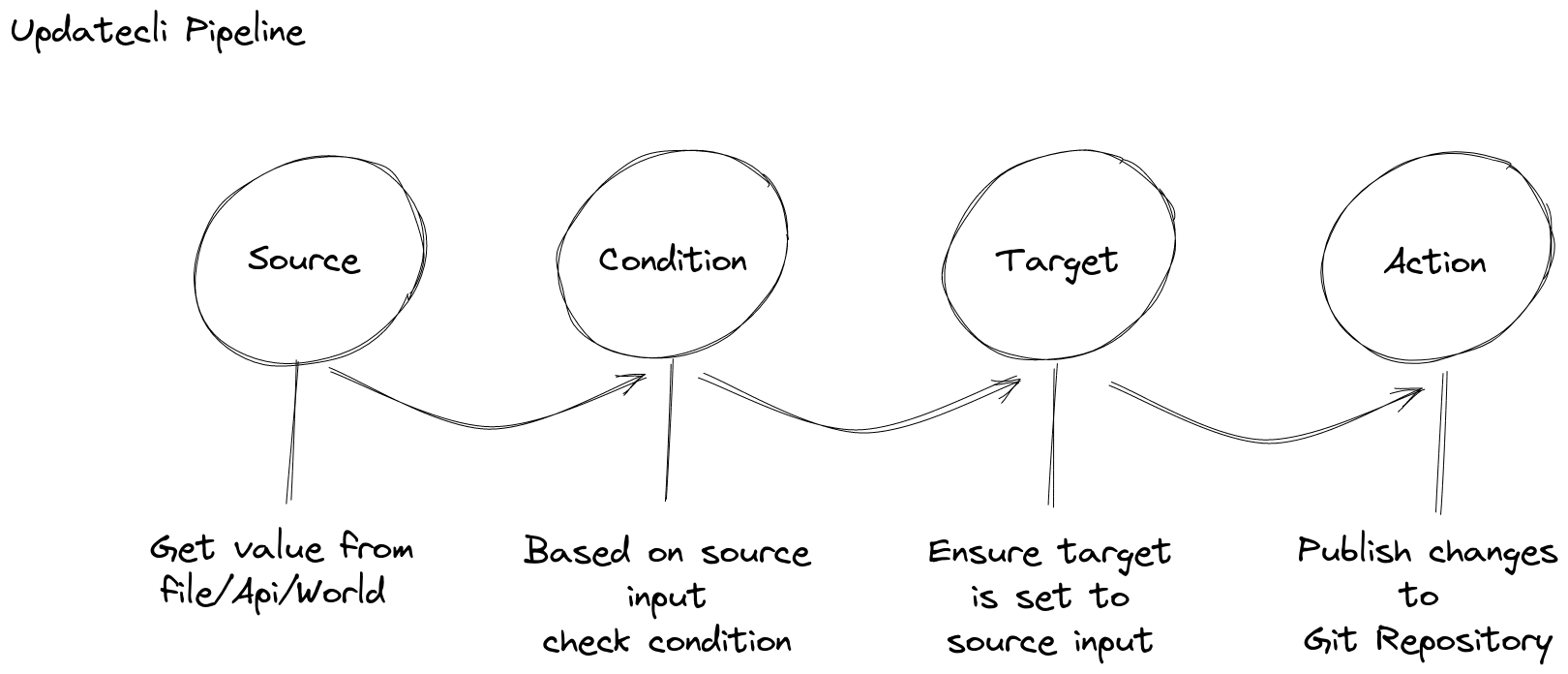
The manifest declares the update strategy. It introduces the three stages Updatecli runs, in the order it runs them:
Where a piece of information comes from. Here, the latest Jenkins weekly version.
What must be true before anything is written.
Here, the Docker image jenkins/jenkins:<latest weekly version> must exist on DockerHub.
What to update with the source value.
Here, the key $.container.tag of data.yaml.
name: QuickStart example

# "sources" describe where the information to use comes from.
# Here: the latest Jenkins weekly version.
sources:
  jenkinsVersion:
    name: Get the latest Jenkins weekly version
    kind: jenkins
    spec:
      release: weekly

# "conditions" describe what must be true before any target is updated.
# Here: the matching Docker image must exist on DockerHub.
conditions:
  dockerimage:
    name: Is the Jenkins weekly tag published on DockerHub
    kind: dockerimage
    spec:
      image: jenkins/jenkins

# "targets" describe what to update with the source value.
# Here: the key "$.container.tag" of the file "data.yaml".
targets:
  dataFile:
    name: Bump the Jenkins Docker image tag
    kind: yaml
    spec:
      file: data.yaml
      key: $.container.tag
Each stage behaves differently depending on the plugin it uses, which is what the kind key
selects. The same yaml kind used here as a target can also be used as a source or a condition.
Tip | Neither the condition nor the target names a source explicitly.
When a manifest declares exactly one source, Updatecli wires it up on its own.
With more than one, use sourceid to say which value to use. |
Updatecli looks for a file named updatecli.yaml, or a directory named updatecli.d, in the
current directory. Since the manifest above is named updatecli.yaml, no flag is needed.
First, see what would change:
updatecli diff######################
# QUICKSTART EXAMPLE #
######################
source: jenkinsVersion
----------------------
✔ version "2.575" found for the Jenkins weekly release
condition: dockerimage
----------------------
✔ docker image jenkins/jenkins:2.575 found
target: dataFile
----------------
⚠ - change detected:
* key "$.container.tag" should be updated from "2.475" to "2.575", in file "data.yaml"
SUMMARY:
⚠ QuickStart example:
Source:
✔ [jenkinsVersion] Get the latest Jenkins weekly version
Condition:
✔ [dockerimage] Is the Jenkins weekly tag published on DockerHub
Target:
⚠ [dataFile] Bump the Jenkins Docker image tag
Run Summary
===========
Pipeline(s) run:
* Changed: 1
* Failed: 0
* Skipped: 0
* Succeeded: 0
* Total: 1
Nothing has been written yet: diff is read-only.
Now apply the change:
updatecli applydata.yaml is updated in place, and the target line reads
key "$.container.tag" updated from "2.475" to "2.575", in file "data.yaml".
Run the same command again:
updatecli apply✔ - no change detected:
* key "$.container.tag" already set to "2.575", from file "data.yaml"The second run changes nothing. Updatecli is idempotent: it describes the state a file should be in, not a sequence of edits, so running it repeatedly is safe and is exactly what makes it usable from a scheduled CI job.
Note | The versions in the output above are whatever the latest Jenkins weekly was when this page was written. Yours will differ. |
This pipeline is deliberately small. From here it can grow in every direction: committing the result to a Git repository, opening a pull request instead of writing in place, reshaping the source value with transformers, or pinning to a release range with a version filter.
The real power of Updatecli is combining plugins so the update workflow matches your project, rather than the other way round.
Core - the concepts behind a manifest, stage by stage.
Autodiscovery - let Updatecli write the manifests for you.
Plugins - every source, condition, target, scm, action, and crawler available.
Automate - run this continuously from your CI environment.
Commands - the full command line reference.
Help - FAQ, deprecations, and where to ask questions.